
How to Advertise on AI Beast: A Simple Step-by-Step Guide
If you want to promote your AI startup, tool, or service on AI Beast, the platform gives you an easy way to run banner ads in high-visibility spots across the site. Here’s a clear walkthrough to help you set up your first campaign without any confusion.
1- Click on “Advertising” in the Header Menu
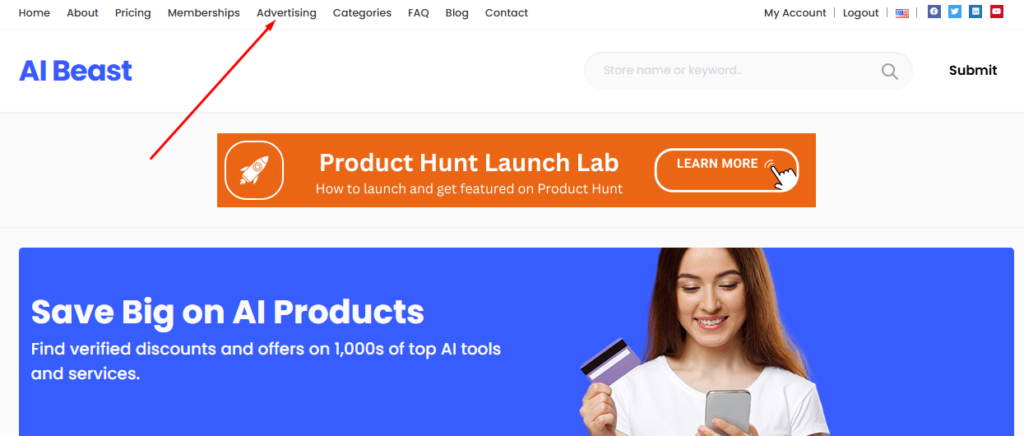
Start by heading to the AI Beast homepage.
At the top navigation bar, you’ll see an Advertise option.
Click it to open the advertising page where all placements and pricing are listed.
2- Choose Your Banner Placement
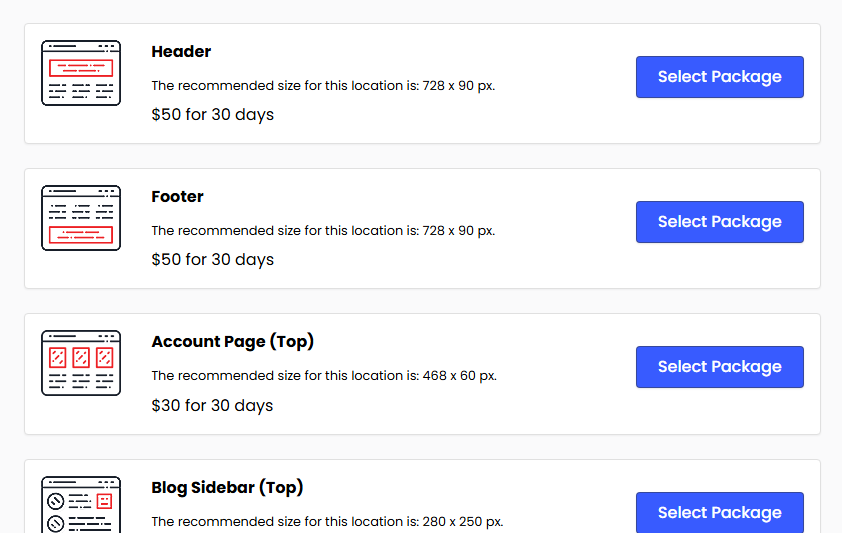
You’ll see different locations such as:
- Header
- Footer
- Account Page (Top)
- Blog Sidebar (Top)
- and more
Each placement includes the recommended banner size and price.
Pick the location that fits your campaign goals and click Select Package.
3- Select Your Payment Method
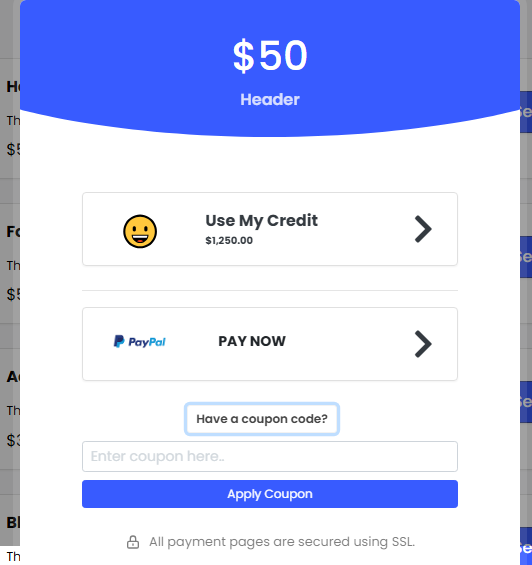
After choosing a placement, you’ll be asked to check out.
You can:
- Use your account credits,
- Or Pay with PayPal,
- Apply a discount coupon, if you have one.
Once payment is done, your ad slot will be reserved.
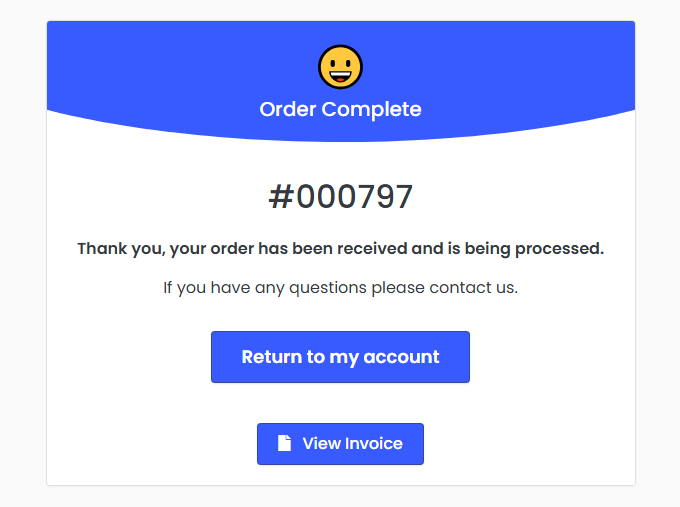
4- Go to Your Account Dashboard
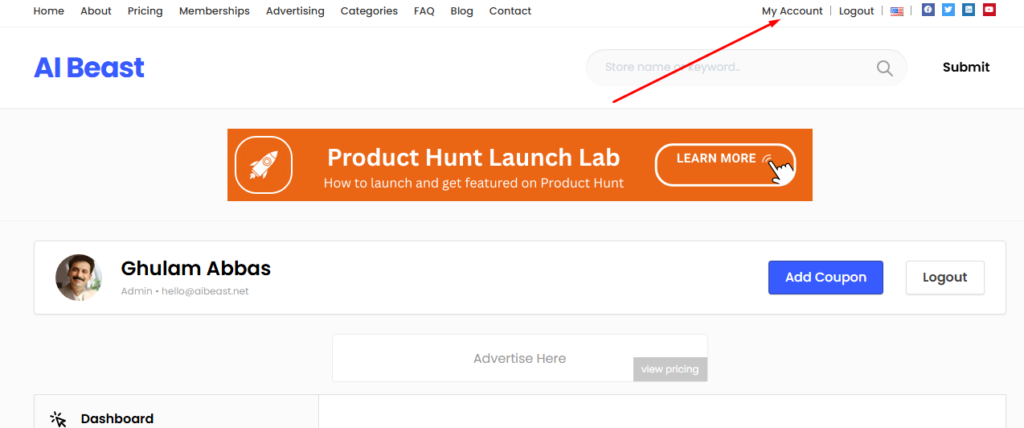
From the top menu, click My Account.
This will take you to your personal dashboard where you manage ads, listings, and memberships.
5- Open the “Advertising” Tab
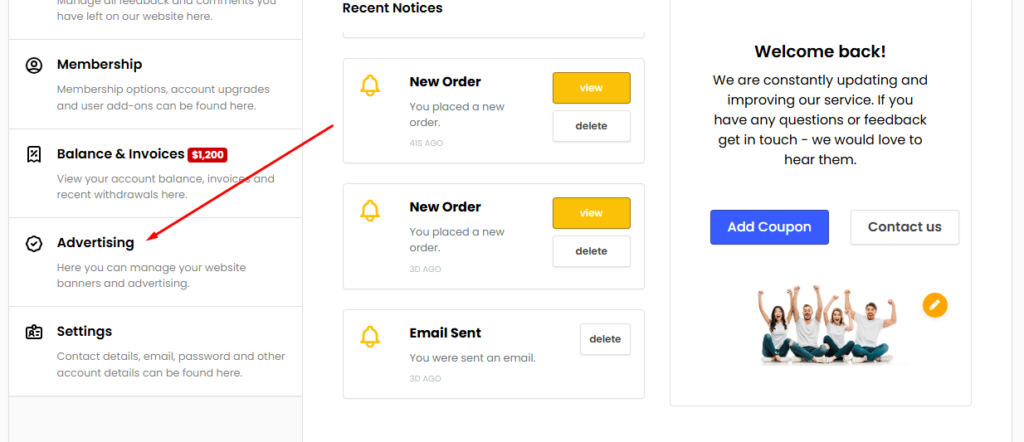
On the left sidebar of your account dashboard, find the Advertising tab.
Here you’ll see all your purchased ad placements along with their status (live, finished, pending, etc.).
6- Upload Your Banner Image
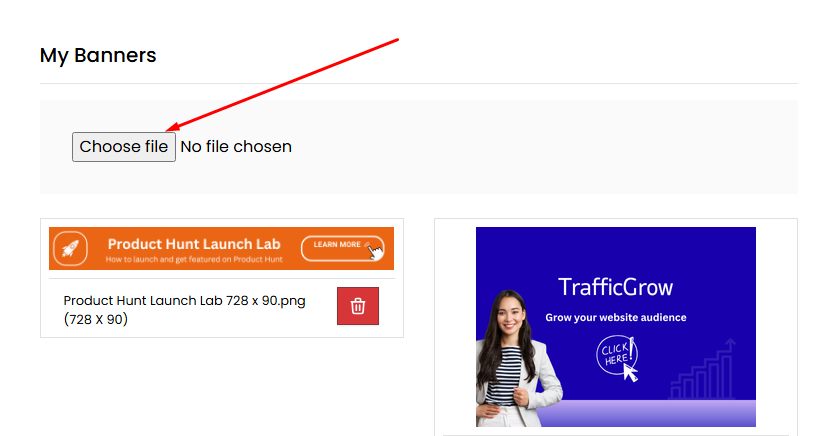
Each placement shows the recommended banner size.
Upload a clean, high-quality image that matches the required dimensions.
This ensures your ad looks sharp and displays correctly across the site.
7- Select the Image & Add Your Product Link
Once the image is uploaded:
- Click to select the file,
- Add your product link, website link, or landing page URL.
This ensures all clicks from your banner go directly to your chosen page.
8- Save & Run Your Ad
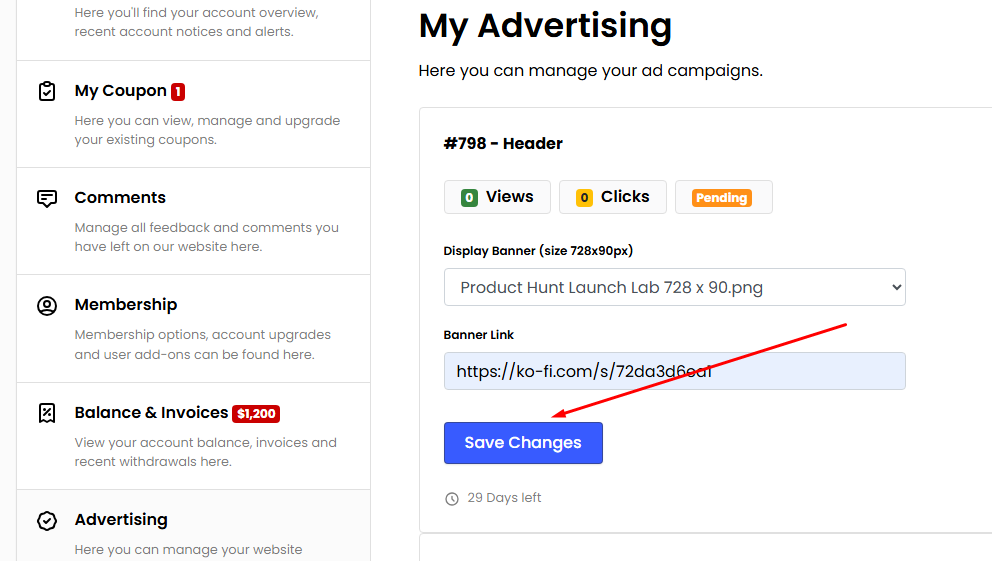
Finally, hit Save Changes.
Your banner will start running immediately for your selected package.
You can also track impressions, clicks, and overall performance inside the same Advertising tab.
And Yes – You Can Advertise for Free
AI Beast offers up to $300 in free credits for early-stage AI startups.
To request them:
📩 Email: hello@aibeast.net
These credits can be used to run banner ads, list your products, or upgrade memberships without spending anything.
